Handheld Controller Function Operation
Standing on the Ground
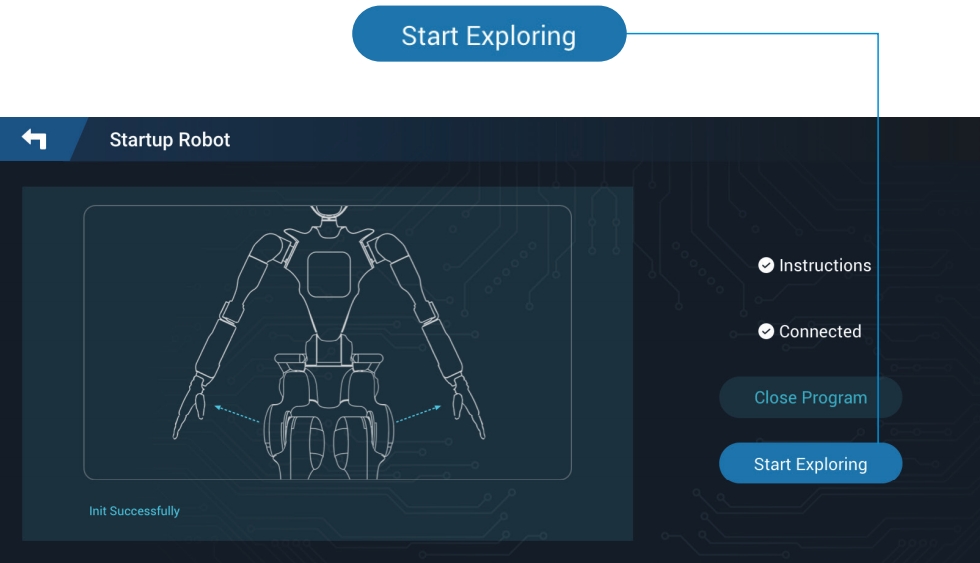
- Click “Start Exploration” to enter robot remote control mode.
- Click the “Initial” button to return the robot to its initial state.
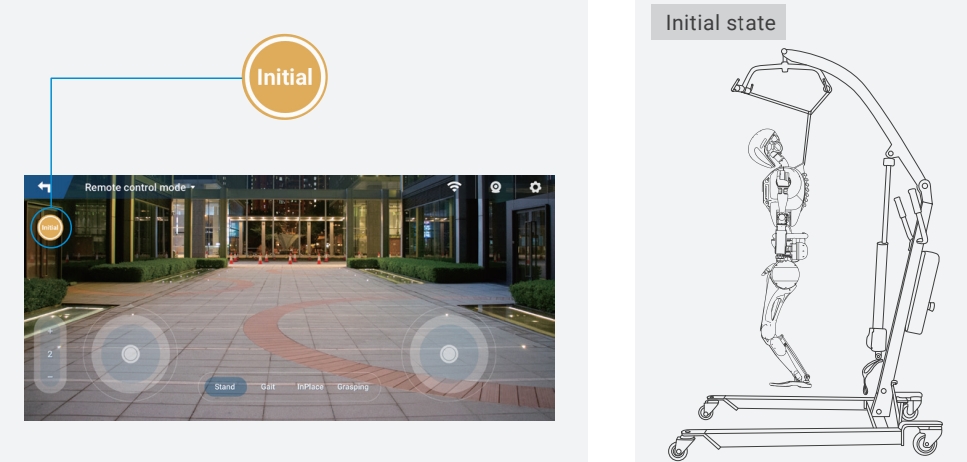
Note: When clicking the “Initial” button, the robot must be fixed on the protection stand.
- Slowly lower the protection stand until the robot’s feet are fully in contact with the ground. Then, gently shake the robot to confirm it is stable.
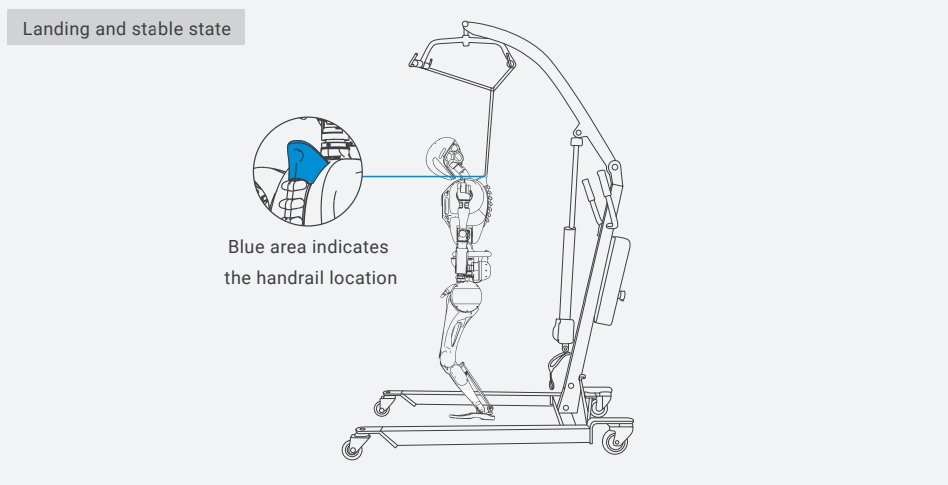
Note: Do not keep the robot in the standing position on the ground for a long time, as the ankle actuators may overheat or burn out.
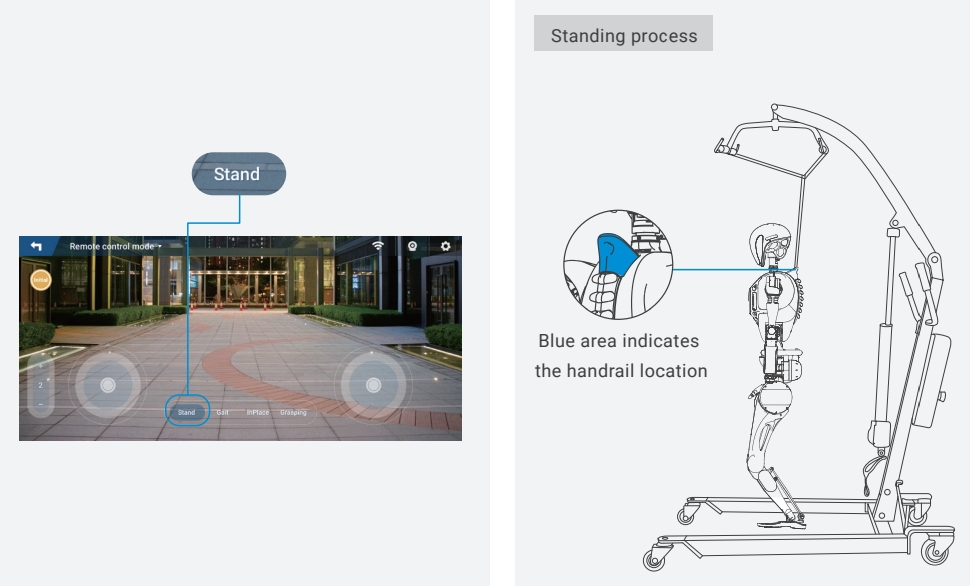
- Click the “Stand” button. While standing up, support the robot with your hands to adjust its front and rear balance. After standing, if there is no shaking or tilting, confirm the robot is stable, then release your hands.
Basic Movements and Function Operations
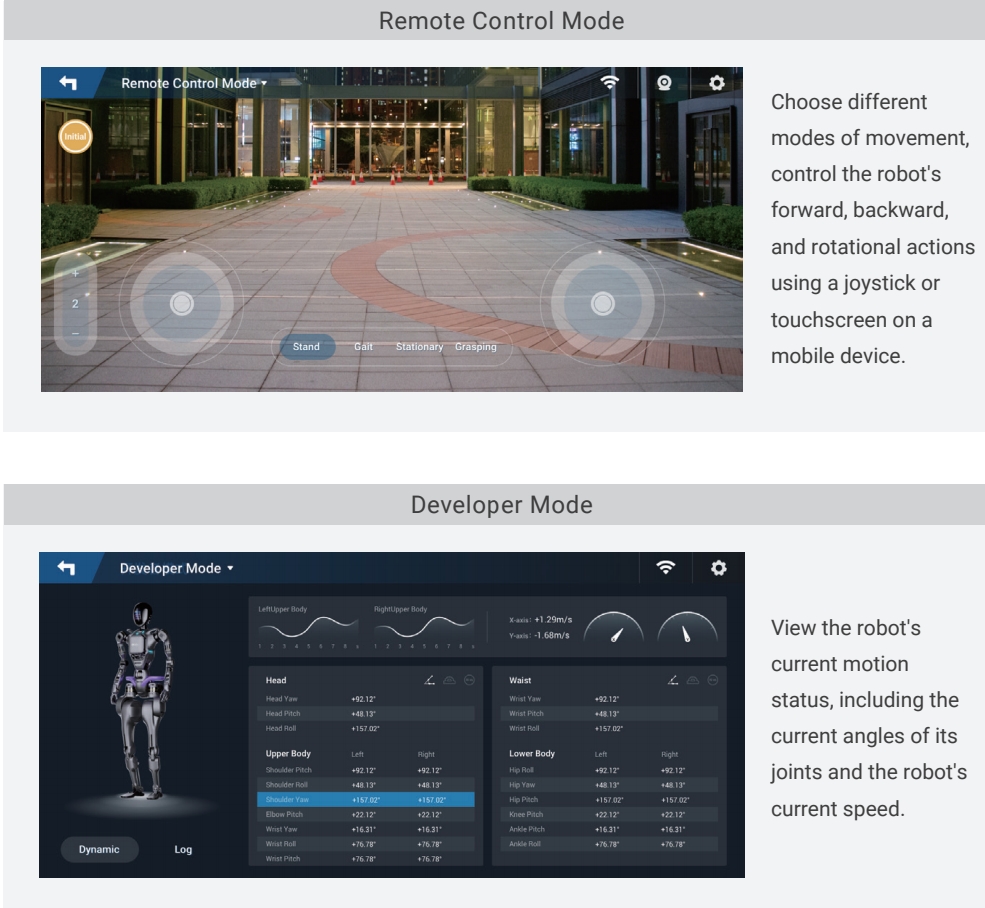
- Operation modes include Remote Control Mode and Developer Mode.
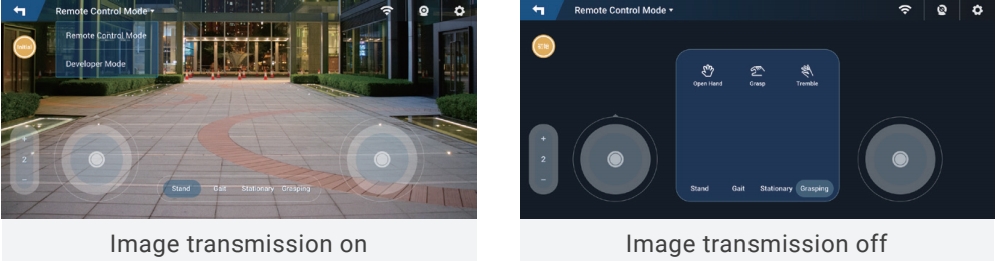
- Image Transmission Function: During use, you can choose to turn it on or off.
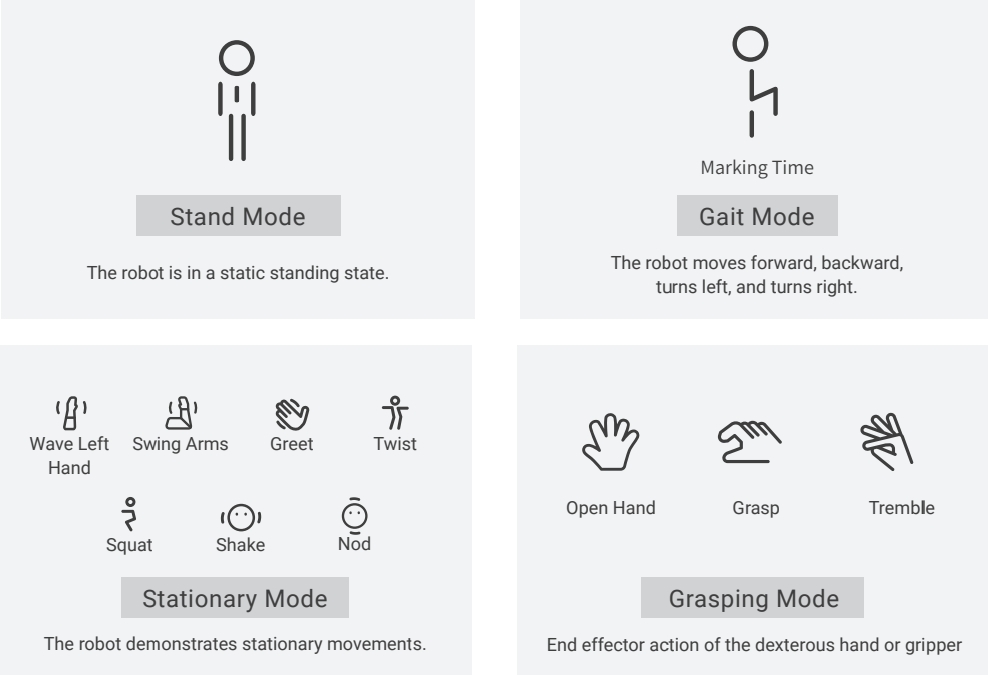
- Four Motion Modes: Standing Mode, Gait Motion Mode, In-place Motion Mode, and End-effector Grasping Mode.