Training and Play
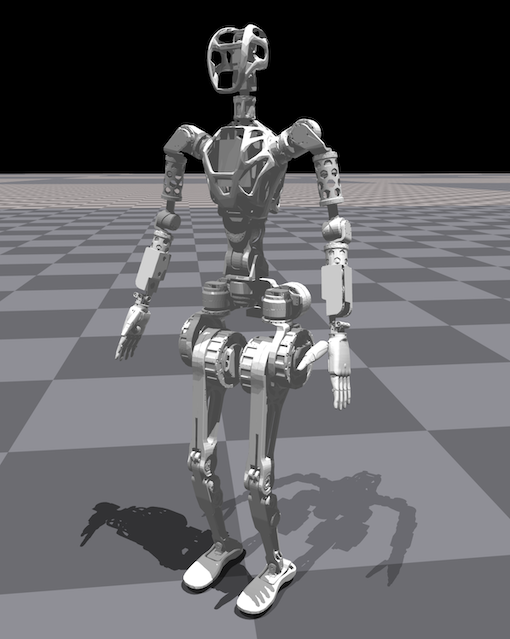
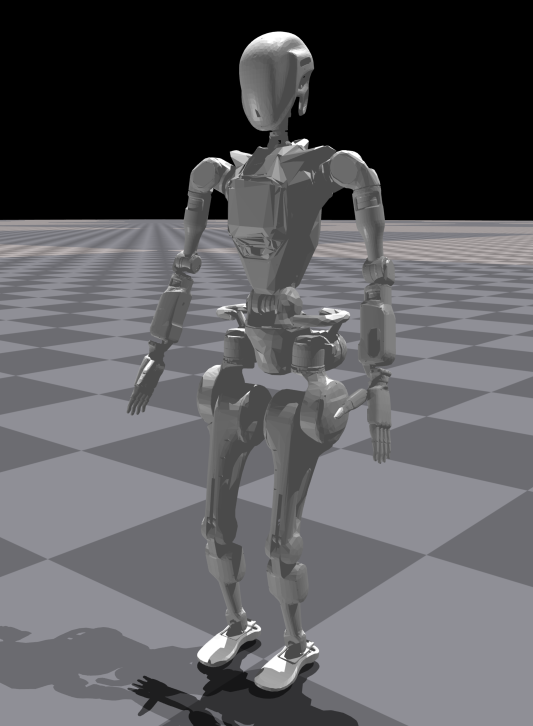
Wiki-GRx-Gym provides an environment for training GR1 to walk on complex terrain, based on NVIDIA Isaac Gym, and the legged_gym and rsl_rl libraries from ETH Zurich's Legged Robotics team.
Reference Links
Installation Steps
0. Install Ubuntu 20.04
- It is recommended to use Ubuntu 20.04 version, as Isaac Gym recommends running on Ubuntu 20.04.
- Ubuntu official website
- Installation guide
1. Install NVIDIA drivers
- Install NVIDIA drivers through the "Software & Updates" application included with Ubuntu 20.04.
- Use the command
nvidia-smiin the terminal to confirm whether GPU and CUDA information can be viewed. As shown below:
+-----------------------------------------------------------------------------+
| NVIDIA-SMI 525.125.06   Driver Version: 525.125.06   CUDA Version: 12.0     |
|-------------------------------+----------------------+----------------------|
| GPU  Name        Persistence-M| Bus-Id        Disp.A | Volatile Uncorr. ECC |
| Fan  Temp  Perf  Pwr:Usage/Cap|         Memory-Usage | GPU-Util  Compute M. |
|                               |                      |               MIG M. |
|===============================+======================+======================|
|   0  NVIDIA GeForce ...  Off  | 00000000:01:00.0  On |                  Off |
|  0%   42C    P8    25W / 450W |    709MiB / 24564MiB |      1%      Default |
|                               |                      |                  N/A |
+-------------------------------+----------------------+----------------------+

+-----------------------------------------------------------------------------+
| Processes:                                                                  |
|  GPU   GI   CI        PID   Type   Process name                  GPU Memory |
|        ID   ID                                                   Usage      |
|=============================================================================|
|    0   N/A  N/A      1032      G   /usr/lib/xorg/Xorg                 53MiB |
|    0   N/A  N/A      1666      G   /usr/lib/xorg/Xorg                239MiB |
|    0   N/A  N/A      1805      G   /usr/bin/gnome-shell              125MiB |
|    0   N/A  N/A      2171      G   /usr/lib/firefox/firefox          205MiB |
|    0   N/A  N/A      2847      G   ...RendererForSitePerProcess       45MiB |
|    0   N/A  N/A      3721      G   ...RendererForSitePerProcess       20MiB |
+-----------------------------------------------------------------------------+
2. Using Conda deployment
-
Install Anaconda:
-
Create Conda environment
wiki-grx-gym:conda create -n wiki-grx-gym python=3.8
conda activate wiki-grx-gym -
Install Isaac Gym:
cd ./IsaacGym_Preview_4_Package/isaacgym/python/
pip install -e . -
Install rsl_rl:
cd ./rsl_rl
pip install -e . -
Install legged_gym:
cd ./legged_gym
pip install -e . -
Install other dependencies:
# Some functions use old variable types, numpy version greater than 1.24 will report errors
pip install numpy==1.20.0

# tensorboard is used to display the training process
pip install tensorboard
pip install protobuf==3.20.3
3. Using Docker deployment
The default Dockerfile supports NVIDIA RTX 4090.
-
Prepare Docker training environment and build image:
cd rl_docker
bash build.sh -
Run the image:
bash run.sh -g <gpus, should be num 1~9 or all> -d <true/false>
# Example: bash run.sh -g all -d true -
For more usage and troubleshooting, please check
./rl_docker/README.md
4. Start training
cd legged_gym/legged_gym/scripts
python ./train.py --task=GR1T1 --headless
5. Demonstration
cd legged_gym/legged_gym/scripts
python ./play.py --task=GR1T1 --num_envs=25
Notes
The training code here only shows how to control the robot's legs for walking, the robot's body is set to be fixed.
If you want to control the robot's body movement, you need to modify the following files:
- URDF file:
./legged_gym/legged_gym/resources/robots/gr1t1/urdf/GR1T1.urdf - Configuration file:
./legged_gym/legged_gym/envs/gr1t1/gr1t1_config.py