Unboxing Guide
Unboxing Steps
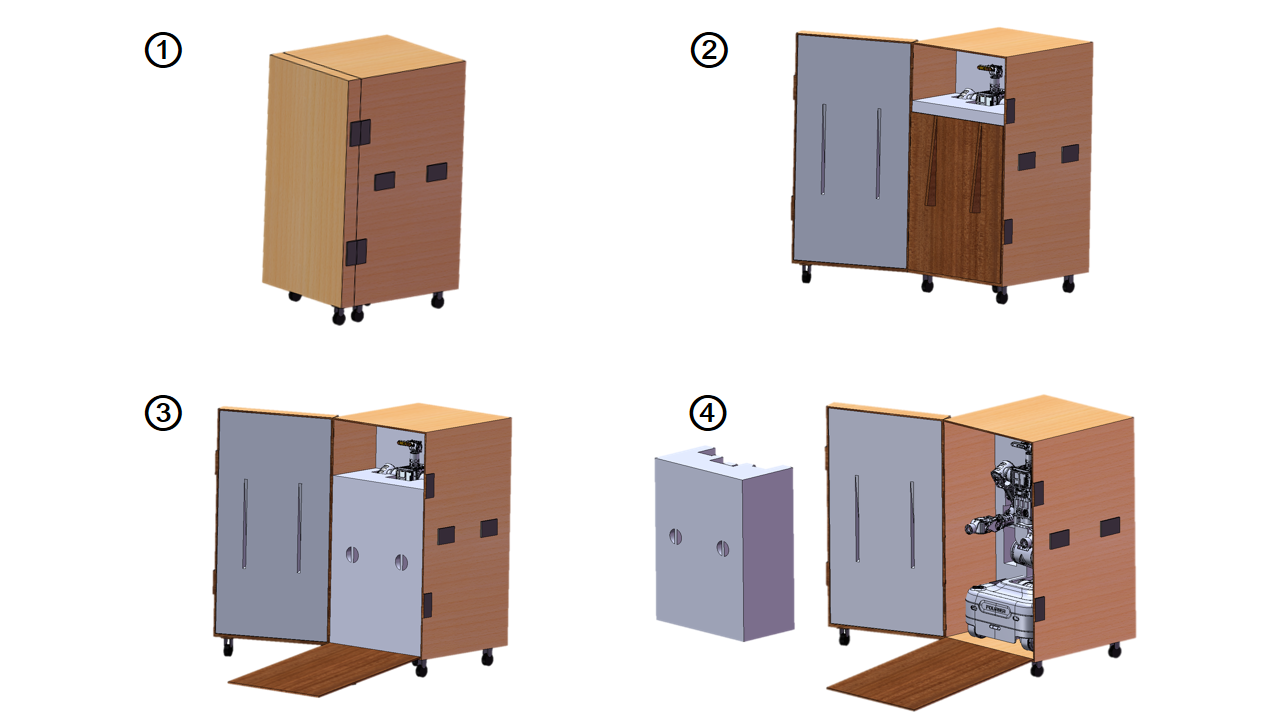
- ① Position the flight case as shown.
- ② Open the flight-case lid.
- ③ Lower the ramp.
- ④ Remove the foam insert in front of the robot, then slowly push the robot down the ramp and place it on level ground.
Packing Steps
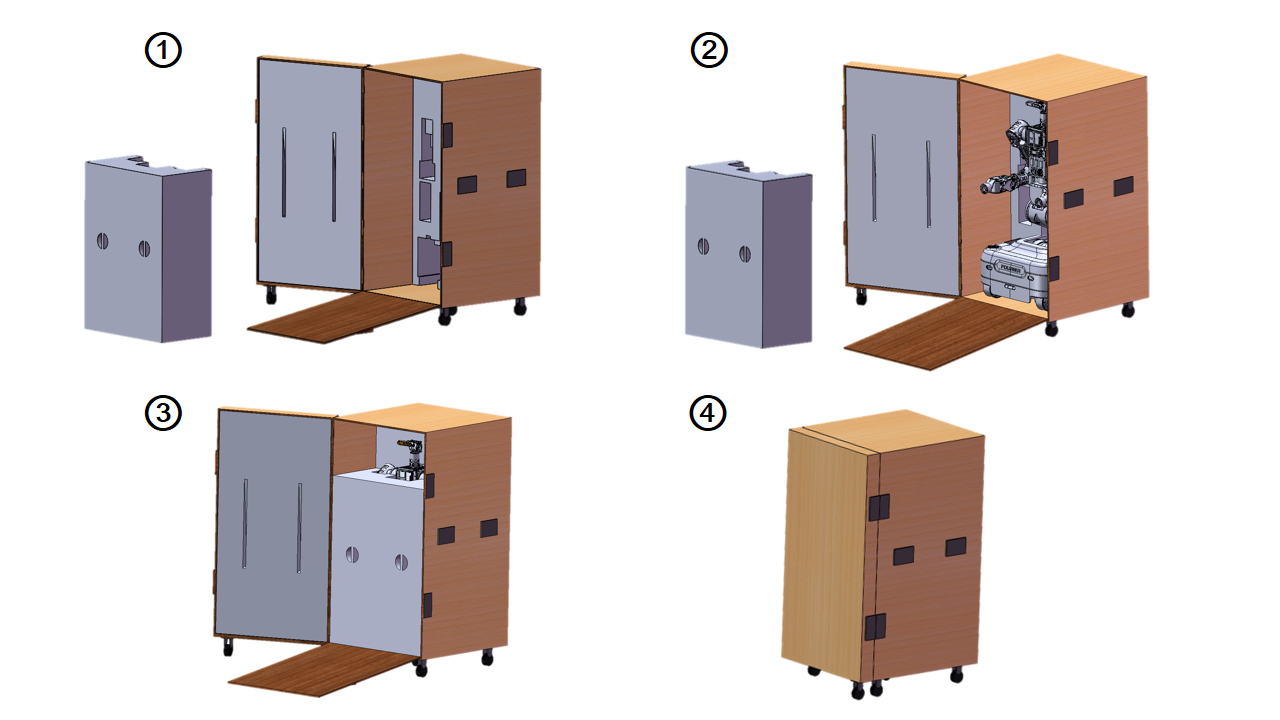
Preparation before packing:
With the robot powered on and the gamepad connected, press LB+A to switch to Preparation Mode, then press LB+B to switch to Packing Mode. The robot automatically adjusts to the packing pose.
Briefly press the main power switch on the chassis to turn off the robot. Set the rocker switches on the two chassis batteries to the “0” position, then remove the batteries.
- ① Open the flight case, lower the ramp, and remove the insert.
- ② Push the robot into the flight case along the ramp, backing it in as if parking.
- ③ Refit the insert and stow the ramp.
- ④ Close the flight-case lid and fasten the latches.