Unboxing Guide
Power-On Procedure (Requires a Lifting Device)
Step 1
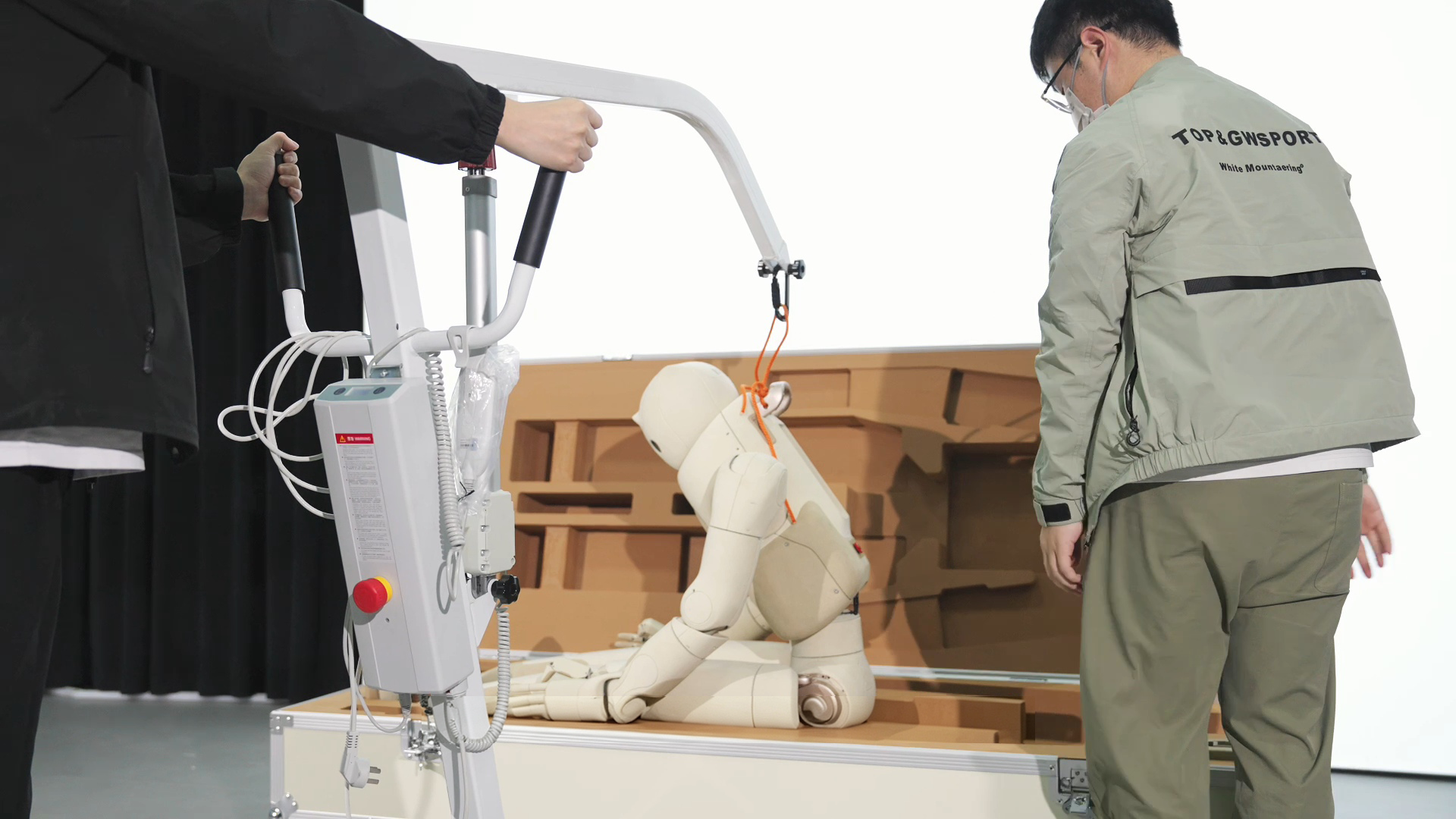
Open the robot's packaging box, lift the robot's upper body, and secure the safety strap located behind the robot's neck to the hook of the lifting device.
Step 2
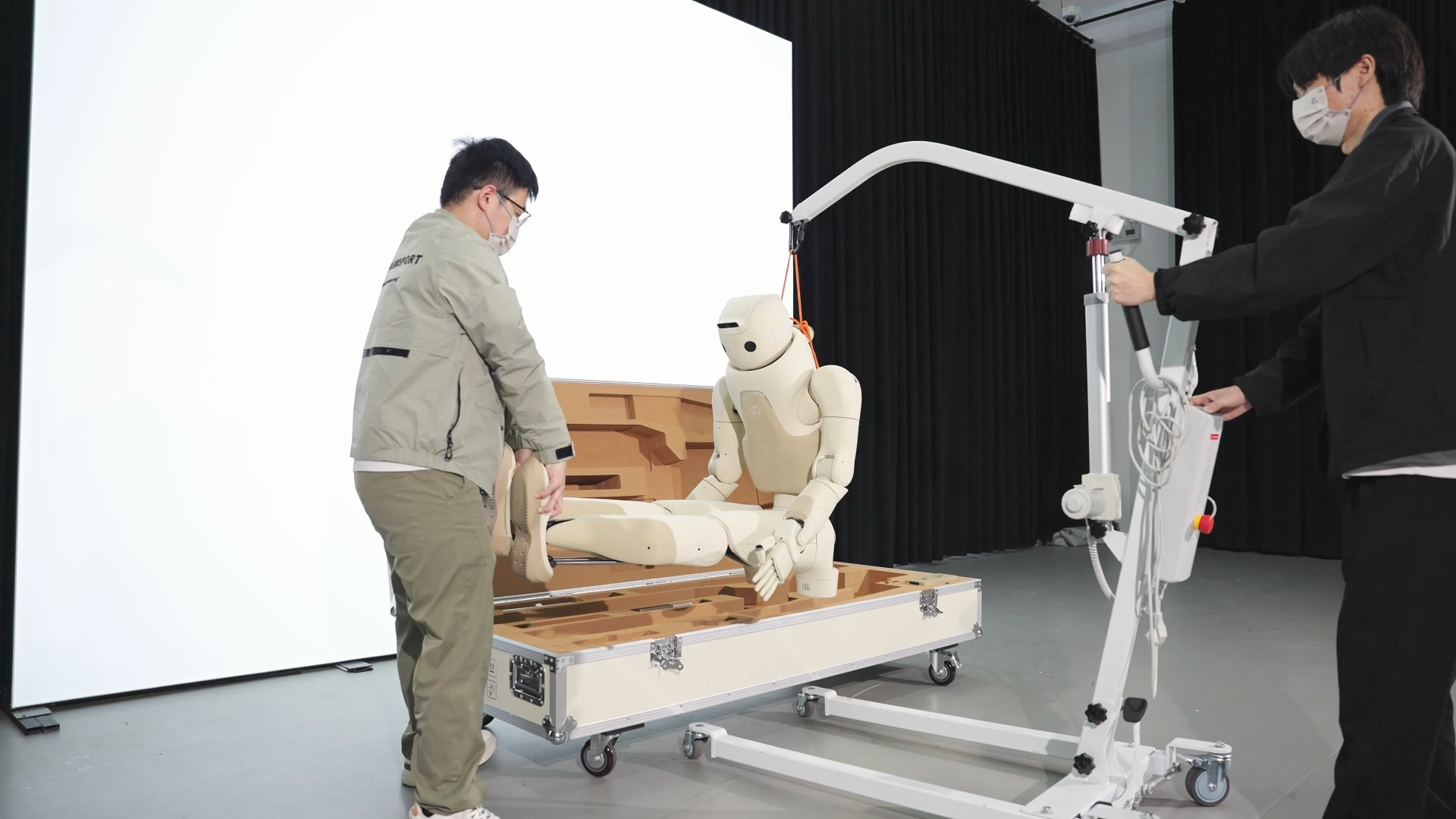
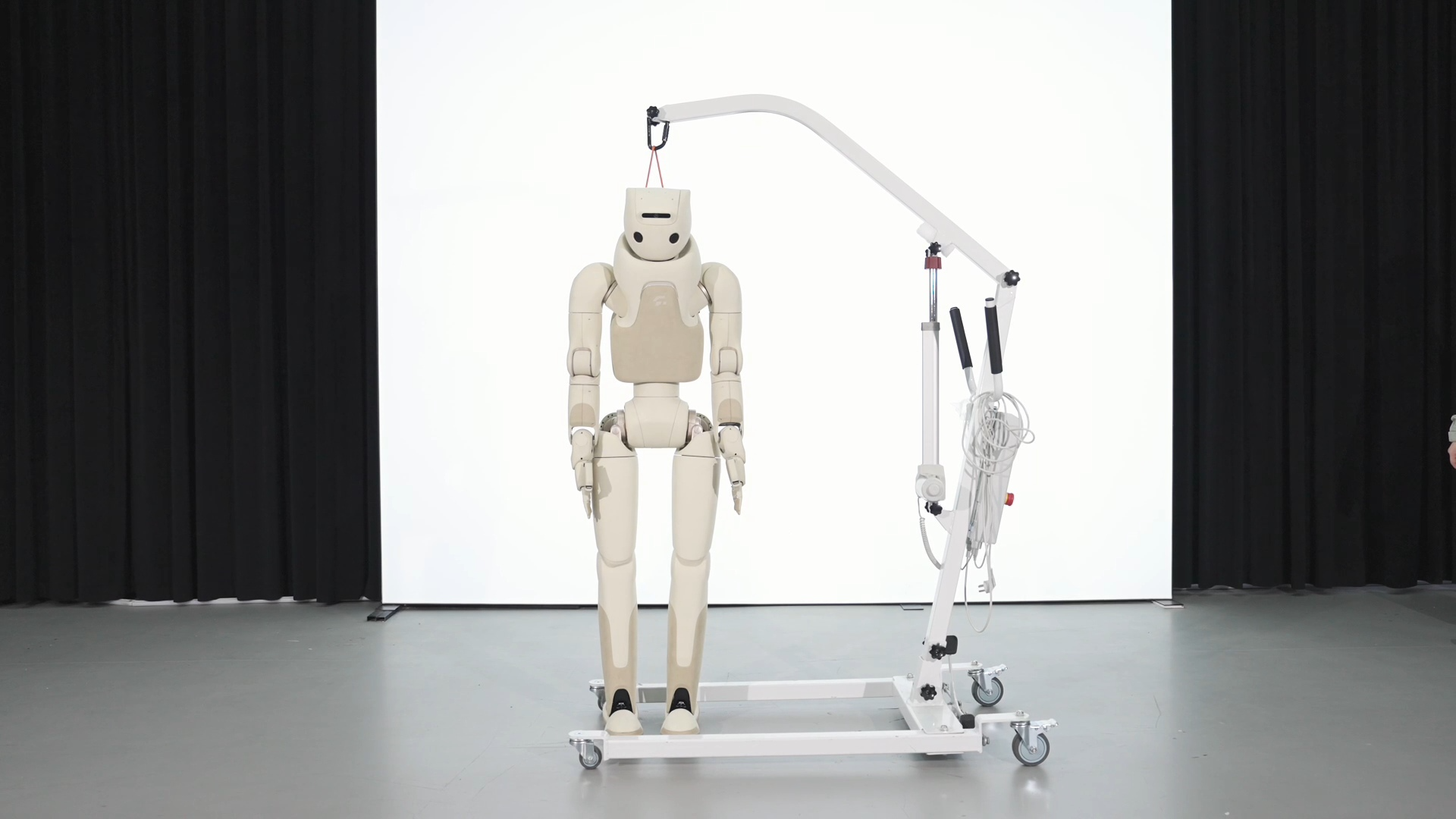
Lift the robot's arms and legs, remove it from the packaging box, and use the lifting device to suspend the robot with both feet off the ground.
Step 3
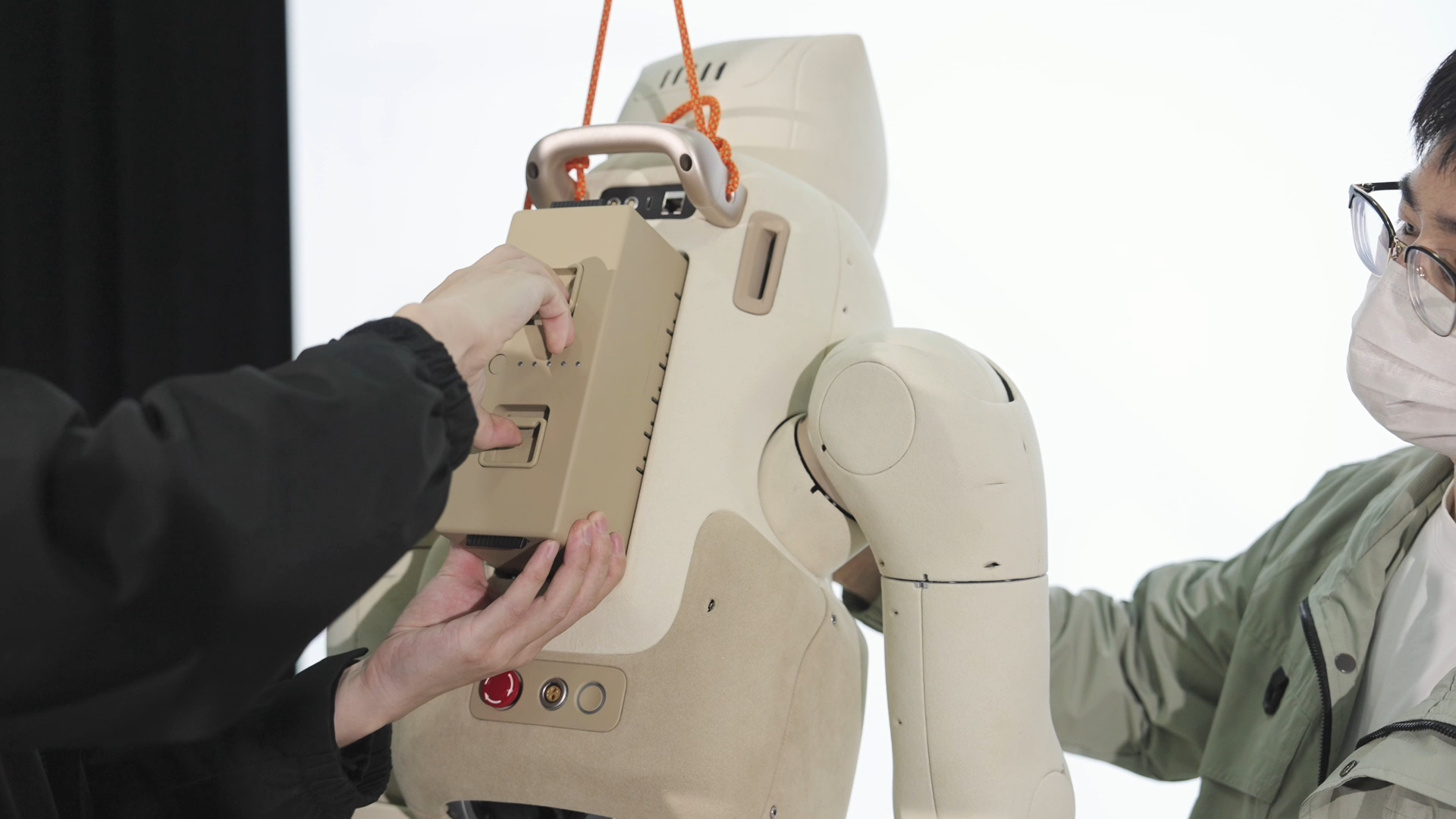
Insert the battery into the battery compartment on the back of the robot. You will hear a "click" sound, indicating that the battery is properly installed.
Step 4
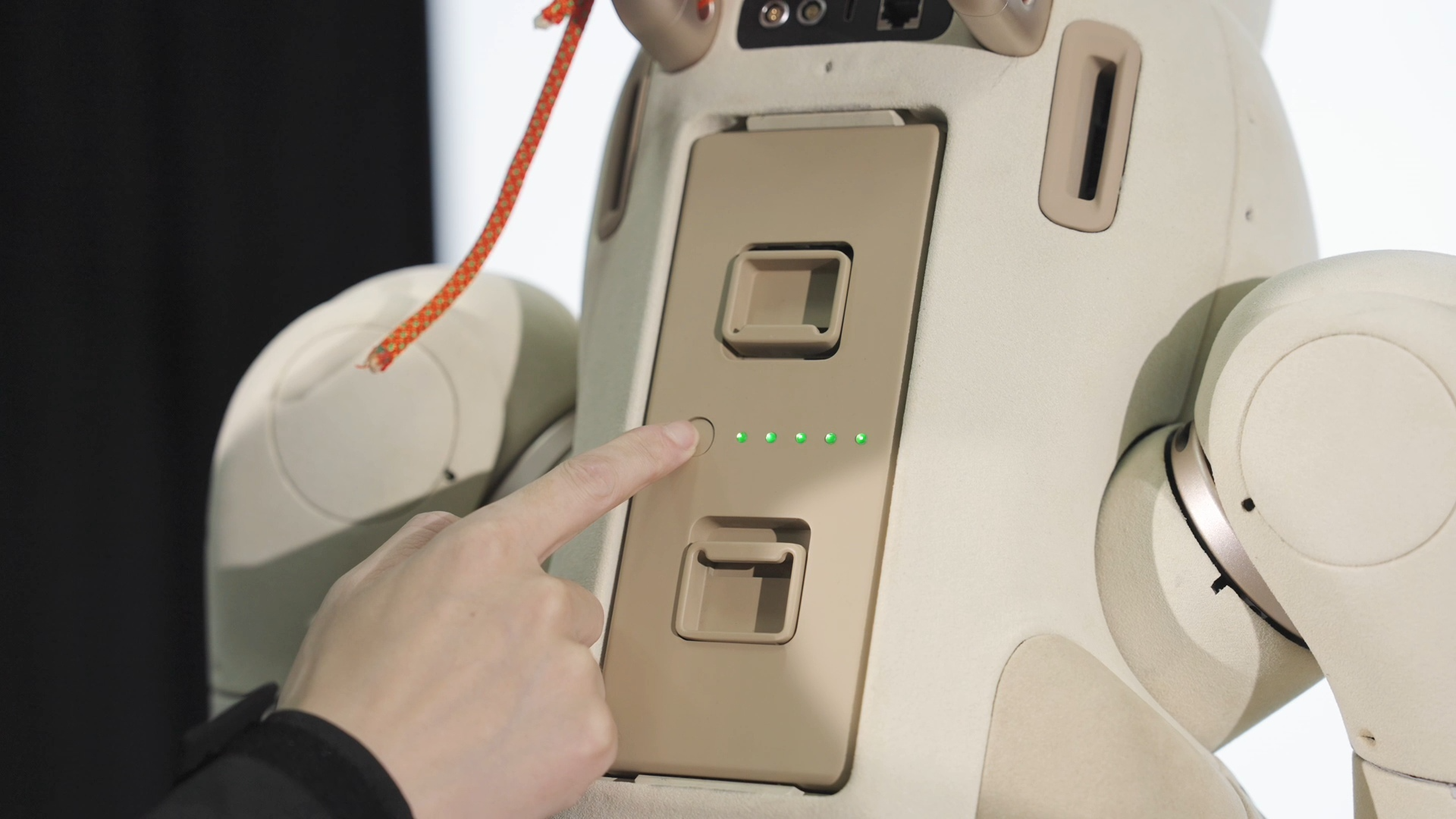
Press and hold the [Battery Power Button] for 3 seconds. Release it when the battery indicator lights remain steadily on.
Step 5
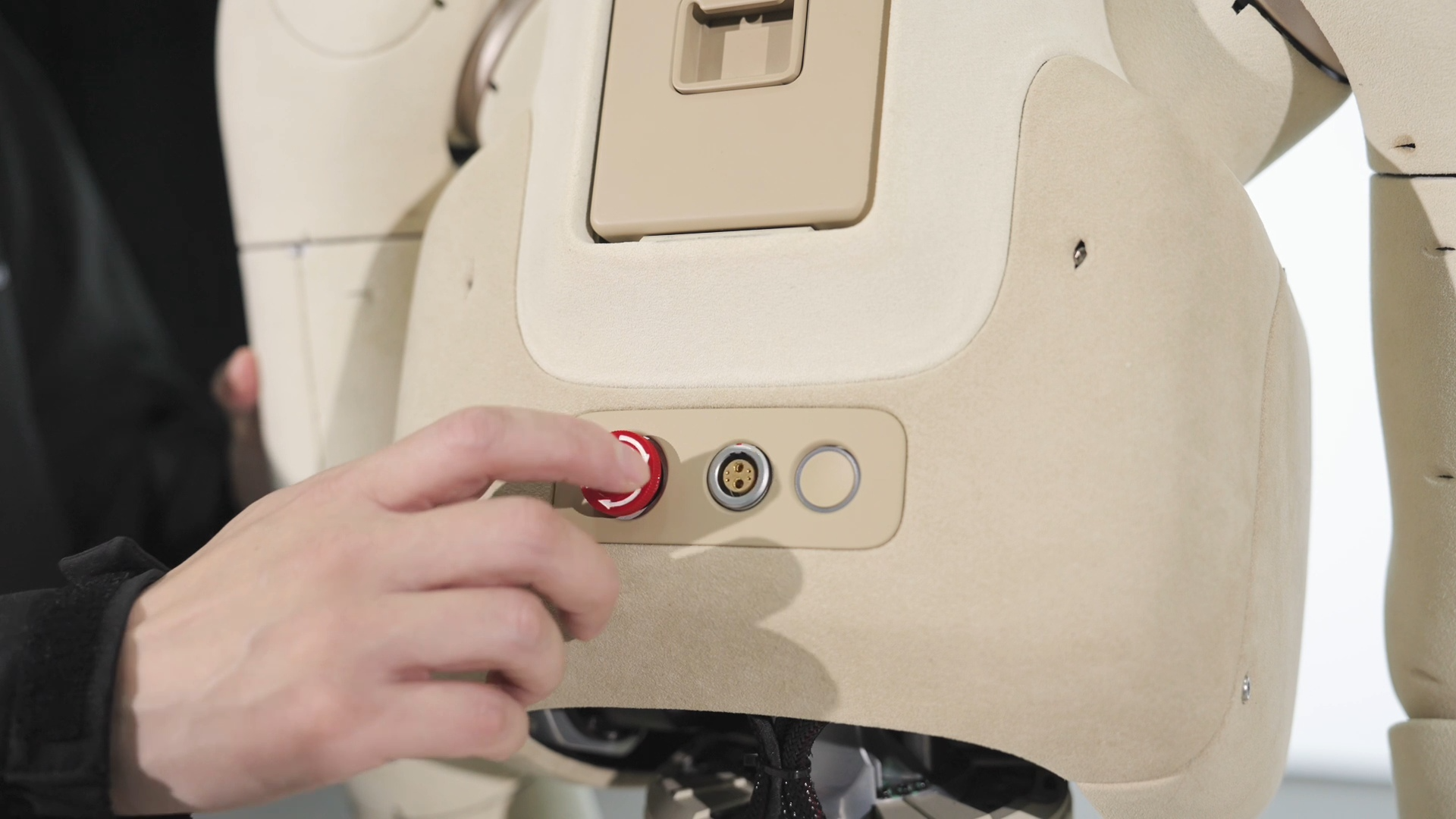
Release the emergency stop button on the robot body.
Step 6
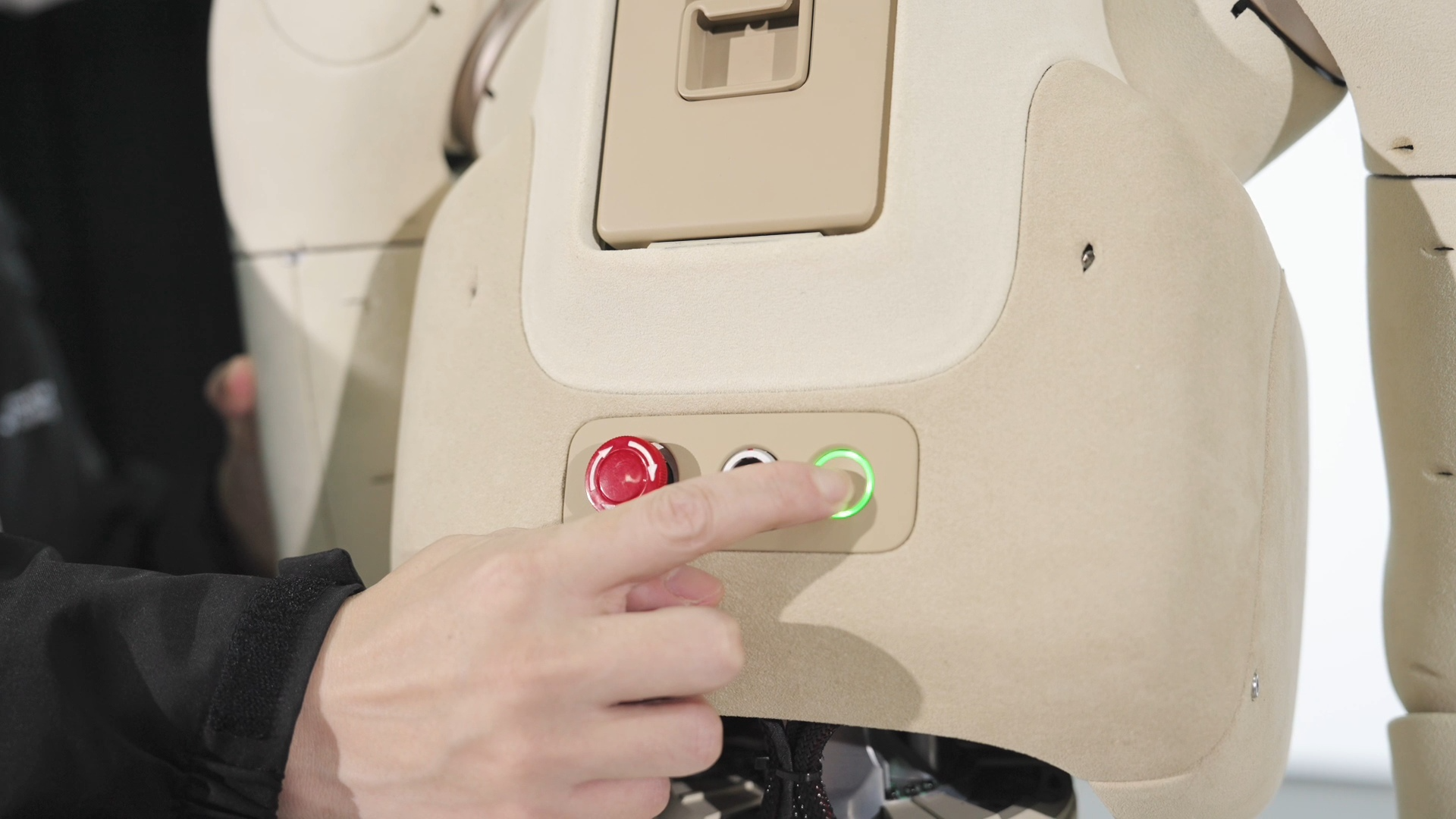
Press and hold the [System Power Button] on the robot body. Release it when the system power button indicator light starts flashing green, and wait until it stays solid green — the robot has completed power-on.
Handheld Console App Connection
Step 1
Turn on the handheld console and find the GR Control app, then open it.

Step 2
Tap [Connect Device] to add the robot.

Step 3
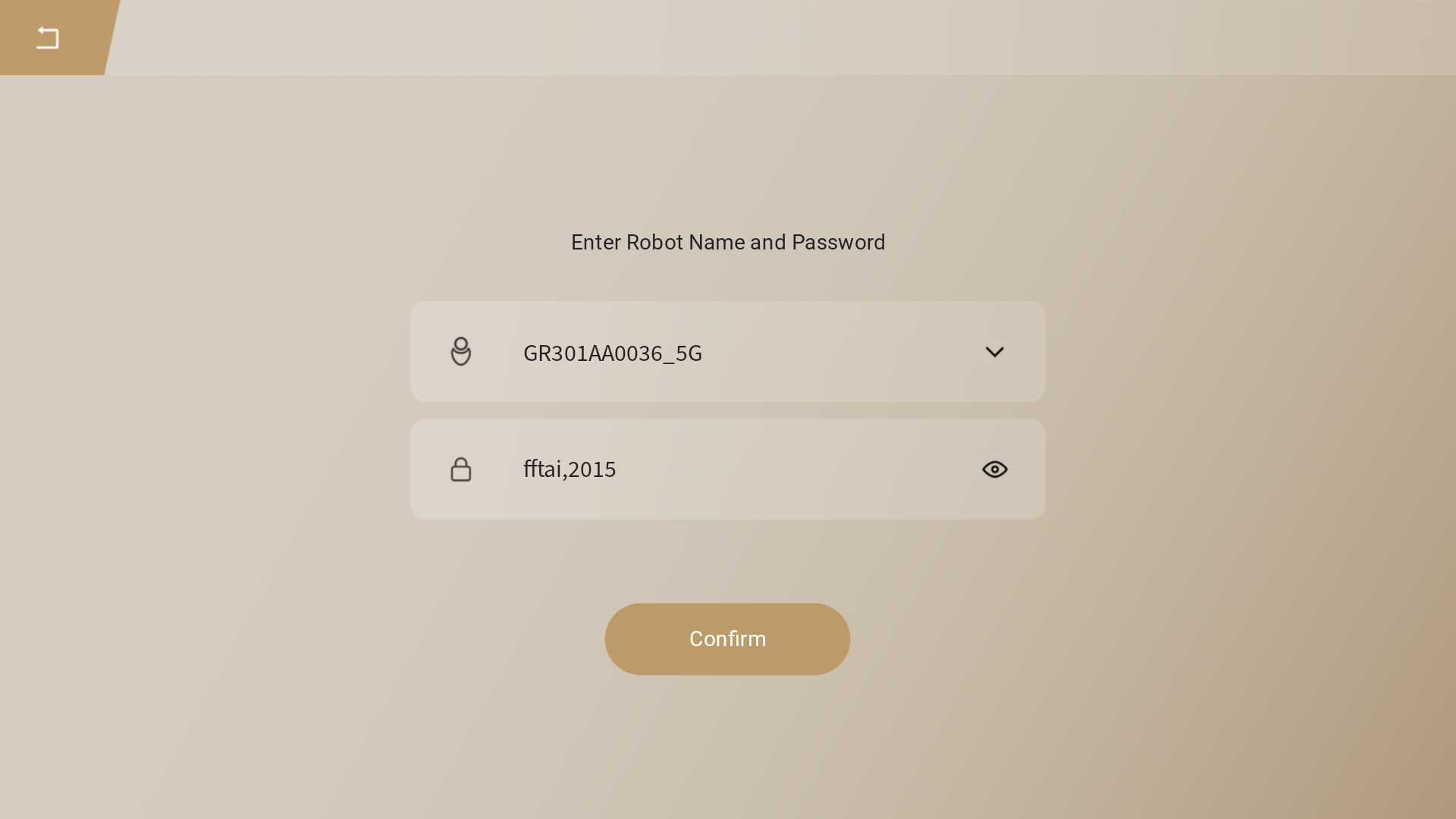
Enter the robot name (which is the product serial number, e.g., GR301AA0015), and enter the password: fftai,2015. Then connect to the robot.
Step 4
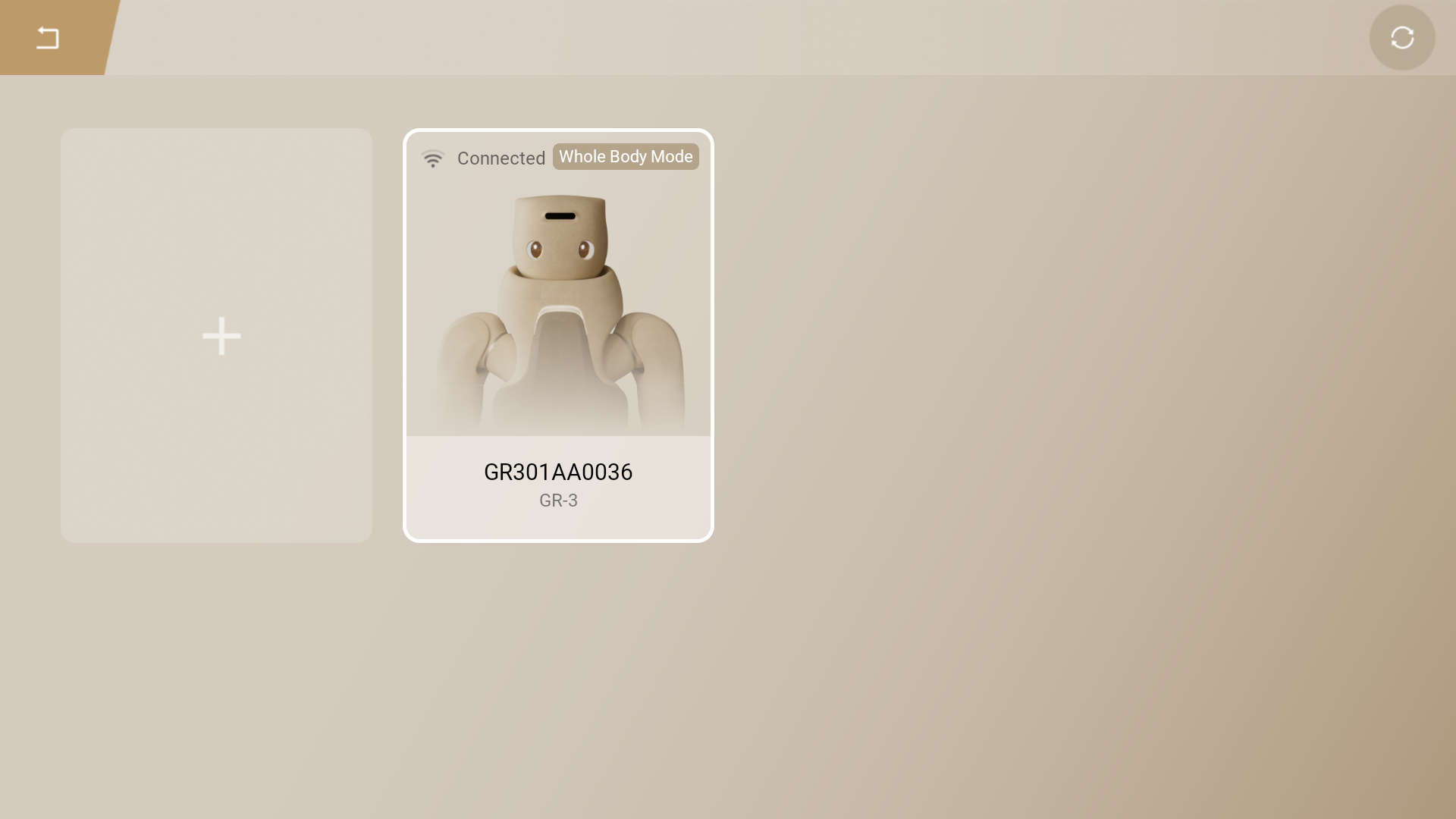
After successful connection, select the robot card and tap "Start" to launch the robot control program.
Step 5
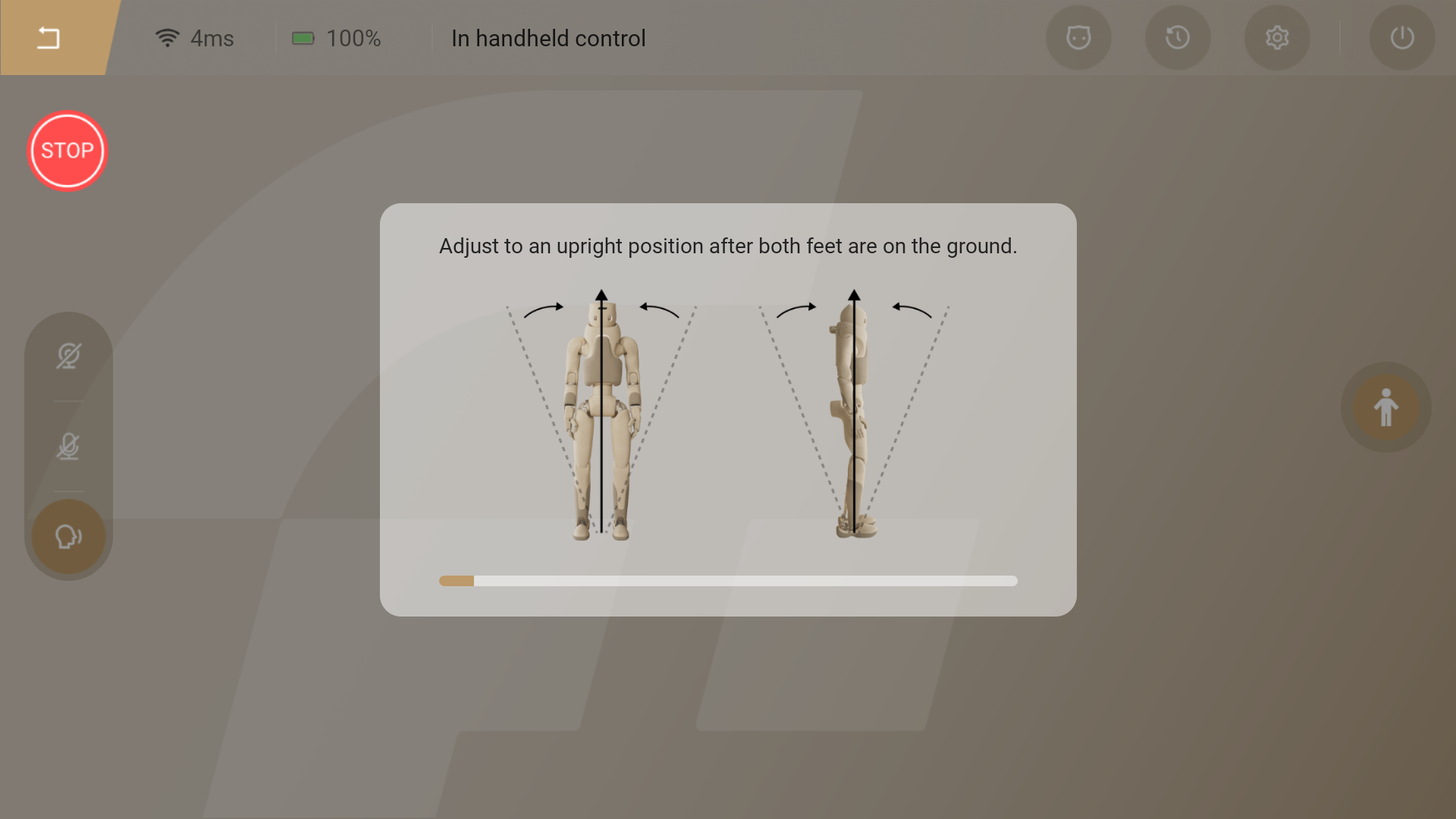
Once startup is complete, follow the on-screen prompts to lower the robot from the lifting device.
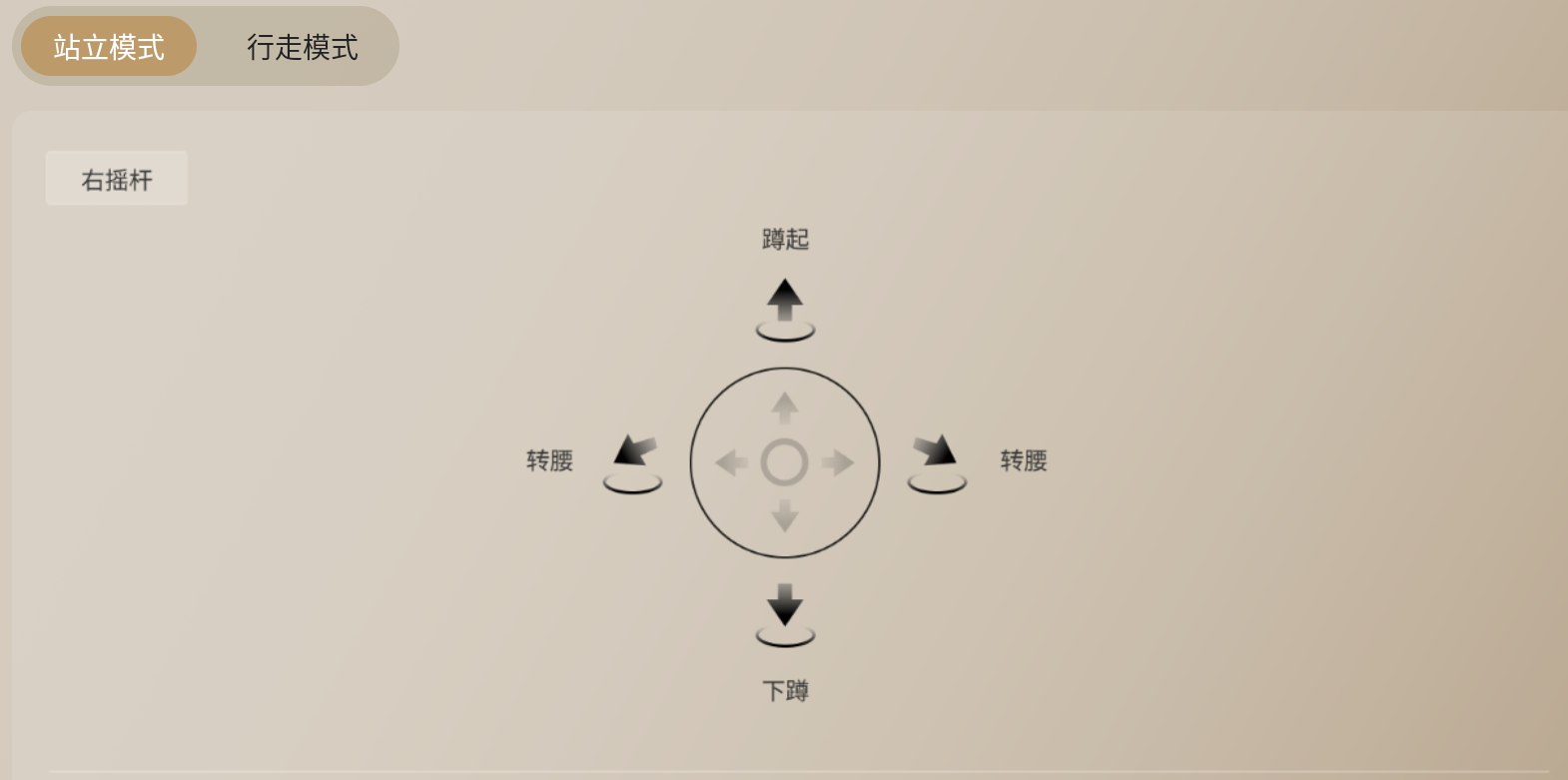
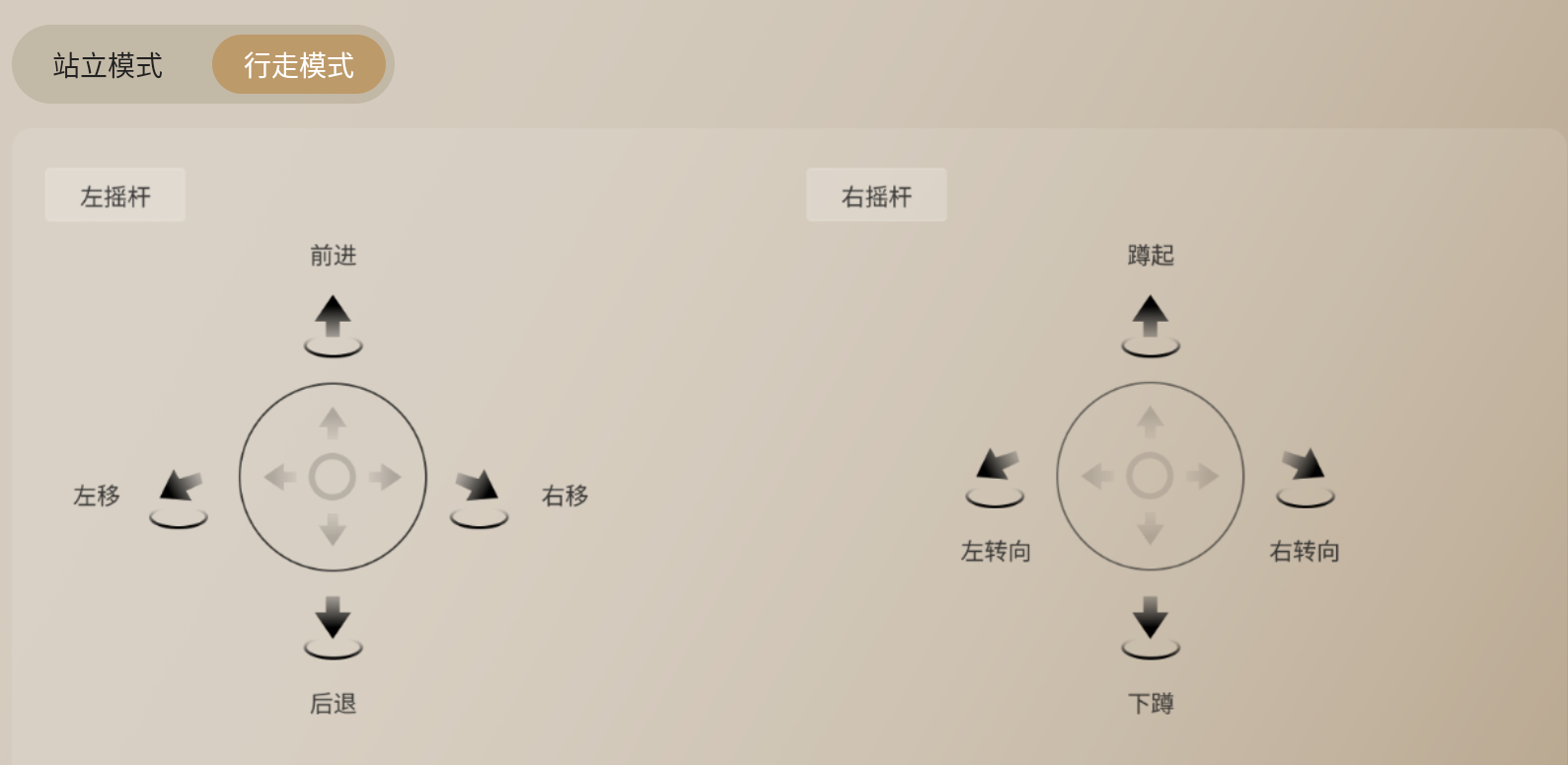
Handheld Console Operation Guide
Shutdown Guide (Requires a Lifting Device)
Step 1
If the robot is in full-body mode, switch it to the standing posture. If the robot is in upper-limb mode, no switching is required.
Step 2
Use the lifting device to hoist the robot until both feet are off the ground.
Step 3
Method 1: On the app page, tap the "Shutdown" button and confirm — the robot will then power off.
Method 2: Press and hold the [System Power Button] until the indicator light starts flashing orange, then release it. Wait for the robot to shut down completely.
After shutdown, the robot's eye display will turn off.
For more details, please refer to the product manual.